Start Your Blue Lock Career Halloween Multiplayer Update
What the Halloween wave changed — seasonal dressing, shared match spaces, expired code names, and multiplayer pacing versus pure story.
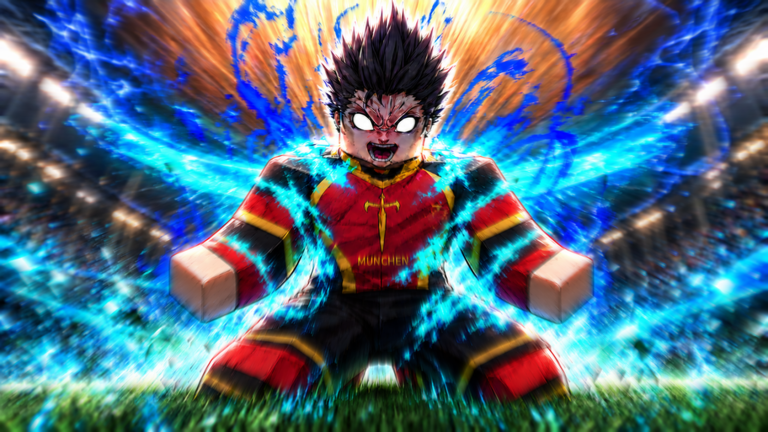
The Halloween Multiplayer update is the seasonal beat players still search for when they type “Halloween multiplayer” next to Start Your Blue Lock Career. Developer Ponder Inc. mixed holiday dressing with stronger multiplayer hooks after the game’s September 7, 2026 launch, while the solo Blue Lock → NEL → World Cup career fantasy stayed the spine. This page is a historical dedicated guide: what the wave changed, which code names belonged to that cluster, what still matters after cosmetics rotate, and how shared-match pacing differs from pure story auto-play.
For the live reward table, always use the Codes Hub. For the full patch timeline, stay on the Updates Hub. Later November beats live on Major Update (Nov 2026) and Kaiser Path.
What Halloween Multiplayer was (and was not)
Halloween was not a separate Roblox experience and not a replacement for career mode. It sat on top of the same Ponder Inc. save slots, Settings redeem path, Flow / Weapon economies, and Selections climb documented in Career Mode. What it added for players searching the seasonal tag:
- Seasonal dressing — event cosmetics, lobby atmosphere, and limited objectives that telegraph “Halloween” in screenshots and Discord chatter.
- Shared match spaces / event objectives — stronger multiplayer hooks so sessions feel less like isolated story auto-play and more like shared pitch time.
- A named code wave — strings such as
HALLOWEENFIXES,HALLOWEENUPDATEDELAY,HALLOWEENMULTIPLAYERUPDATE, andOLDHALLOWEENshowed up on major trackers during and after the event. - UI and lobby shifts — prompts and flow changes that outlast some of the art, which is why third-party macros often break first after seasonal / multiplayer patches (see Scripts for risk notes only).
If you skipped the event entirely, you did not miss the career spine. You missed a seasonal economy spike and a taste of shared-session pacing — both recoverable through normal training, matches, and whatever Codes still marks active today.
Timeline placement
| Beat (2026) | Role | Player takeaway |
|---|---|---|
| Sep 7 | Launch — solo career RPG on Roblox | Overall starts at 0; redeem in Settings (bottom-left cog) |
| Mid-season | Infinite / U-20 skill-ceiling spikes | Historical context only — dead promo strings |
| Halloween | Seasonal cosmetics + multiplayer hooks | This page; treat HALLOWEEN* codes as historical |
| Nov 14 | Major Update stability / celebration | Redeem current actives, not expired holiday leftovers |
| Nov 21 | Kaiser Path title wave | Newest named gift beat; Codes Hub first |
Read Halloween as the bridge between mid-season systems work and the dense November gift season — not as competing content with Kaiser Path.
Halloween-era codes (historical — do not farm as live)
Community coverage (including TheTechBasket “Halloween Multiplayer Update” codes write-ups) and late-November inactive / expired tables from PCGamesN, Pocket Tactics, and Pro Game Guides (Nov 21) treat the following as rotated or expired. This wiki lists the names so searchers recognize the wave — then redirects live rewards to Codes:
| Code name | Wave role | Late-Nov status |
|---|---|---|
HALLOWEENFIXES | Seasonal / fix-themed gift | Historical — expired / inactive on Nov 21 lists |
HALLOWEENUPDATEDELAY | Delay goodwill tied to the event window | Historical — do not treat as working |
HALLOWEENMULTIPLAYERUPDATE | Headline multiplayer-window celebration | Historical — verify only on live Codes |
OLDHALLOWEEN | Leftover / cleanup holiday string | Widely expired on Nov 21 tracker tables |
Redeem rule after Halloween: open Settings (bottom-left), claim only strings the live Codes table still shows active, and ignore notepad leftovers from October event screenshots. Slot-bound Skill Points still stick to the character you redeem on — never dump a holiday pack on a throwaway slot “just to test.”
Multiplayer pacing vs pure story
Solo career fantasy remains the design center: decisions, Selections walls, NEL country picks, and World Cup pressure still drive long-term Overall. Halloween widened how that fantasy shares space with other players:
- Lobby and queue feel — shared match spaces introduce wait, social noise, and timing that pure story auto-play never forces.
- Event objectives — seasonal goals can pull attention away from a clean Second Selection grind; finish the career beat that raises Overall before chasing every cosmetic checkbox.
- Session length — multiplayer hooks often mean shorter “one more match” loops instead of long narrative chapters. Plan attribute spends the same way you would after any economy spike (Career Mode).
- Macro fragility — automation that clicked solo UI paths breaks when lobby buttons, match-start prompts, or seasonal overlays move. Manual play plus official codes is the safe path; Scripts exists for awareness, not as a recommendation.
After cosmetics rotate out, pacing habits can linger even when pumpkin props leave. If Live matches feel different than your October story sessions, that is expected — retune finishing volume and Flow timing rather than hunting dead HALLOWEEN* strings.
What still matters after cosmetics leave
- Career continuity — Selections, U-20 pressure, NEL, and World Cup did not get replaced by a costume minigame. Keep Career Mode as your roadmap.
- Redeem hygiene — Settings bottom-left remains the only official code path; live gifts now cluster around Major / Kaiser Path / like milestones on Codes.
- Build discipline — seasonal Lucky bags tempt random Flow locks. Hold rolls until your Primary / Flow sentence still matches your egoist thesis.
- Client freshness — rejoin after big patches so lobby and Settings match what Discord is discussing for the current title wave.
- Automation caution — expect Scripts and third-party tools to lag whenever multiplayer or seasonal UI ships.
Player checklist if you are catching up now
- Rejoin Start Your Blue Lock Career on a fresh client.
- Open Settings (bottom-left cog) and redeem current actives only — skip
HALLOWEENFIXES,HALLOWEENUPDATEDELAY,HALLOWEENMULTIPLAYERUPDATE, andOLDHALLOWEENunless Codes somehow still lists them. - Skim Major Update and Kaiser Path so November context is clear.
- Play one meaningful career segment so any leftover spins convert into Overall instead of sitting unused.
- Bookmark the Updates Hub for the next named wave instead of relying on Halloween screenshots.
Related pages
- Updates Hub — launch → Infinite → Halloween → Major → Kaiser Path timeline
- Major Update (Nov 2026) — stability and celebration wave that followed the holiday
- Kaiser Path Update — Nov 21 title / gift beat
- Codes Hub — live active versus expired table (never farm historical HALLOWEEN* as truth)
- Career Mode — solo spine that Halloween never replaced
- Scripts — why automation often breaks after UI / multiplayer changes
Halloween Multiplayer rewards players who treat a seasonal search as context plus a redeem filter. Remember the shared-match hooks, retire the expired code names, and put every still-working gift into a career that still has a clear Blue Lock thesis.
Frequently Asked Questions
Quick answers to the most common questions.
Did the Halloween update add multiplayer to Start Your Blue Lock Career?
Yes. The Halloween update mixed seasonal dressing with stronger multiplayer hooks and shared match / event objectives, while the solo career arc from Blue Lock through NEL and World Cup remained central.
Which codes belonged to the Halloween Multiplayer wave?
Tracker coverage associated names such as HALLOWEENFIXES, HALLOWEENUPDATEDELAY, HALLOWEENMULTIPLAYERUPDATE, and OLDHALLOWEEN with that window. Late-November PCGamesN / Pocket Tactics / PGG lists treat them as inactive or expired — use the live Codes Hub for anything redeemable now.
Are OLDHALLOWEEN and other HALLOWEEN codes still working?
Generally no. On Nov 21 inactive/expired lists those strings are historical. Always cross-check the Codes Hub before wasting a Settings attempt.
Where do I redeem codes after the Halloween update?
Same path as always: open Settings via the bottom-left cog in Start Your Blue Lock Career, enter the string on the correct character slot, then confirm. Only redeem codes the live table still marks active.
Did Halloween replace solo career mode?
No. Ponder Inc. kept the solo career fantasy as the spine. Halloween widened shared match spaces and seasonal objectives on top of that climb — see Career Mode for the long-term roadmap.
Why do scripts break after Halloween or multiplayer patches?
Seasonal overlays and multiplayer lobby / match UI often move buttons and prompts that macros click. Treat Scripts as risk documentation only; manual play plus official codes is the safe route after UI shifts.